Getting Started
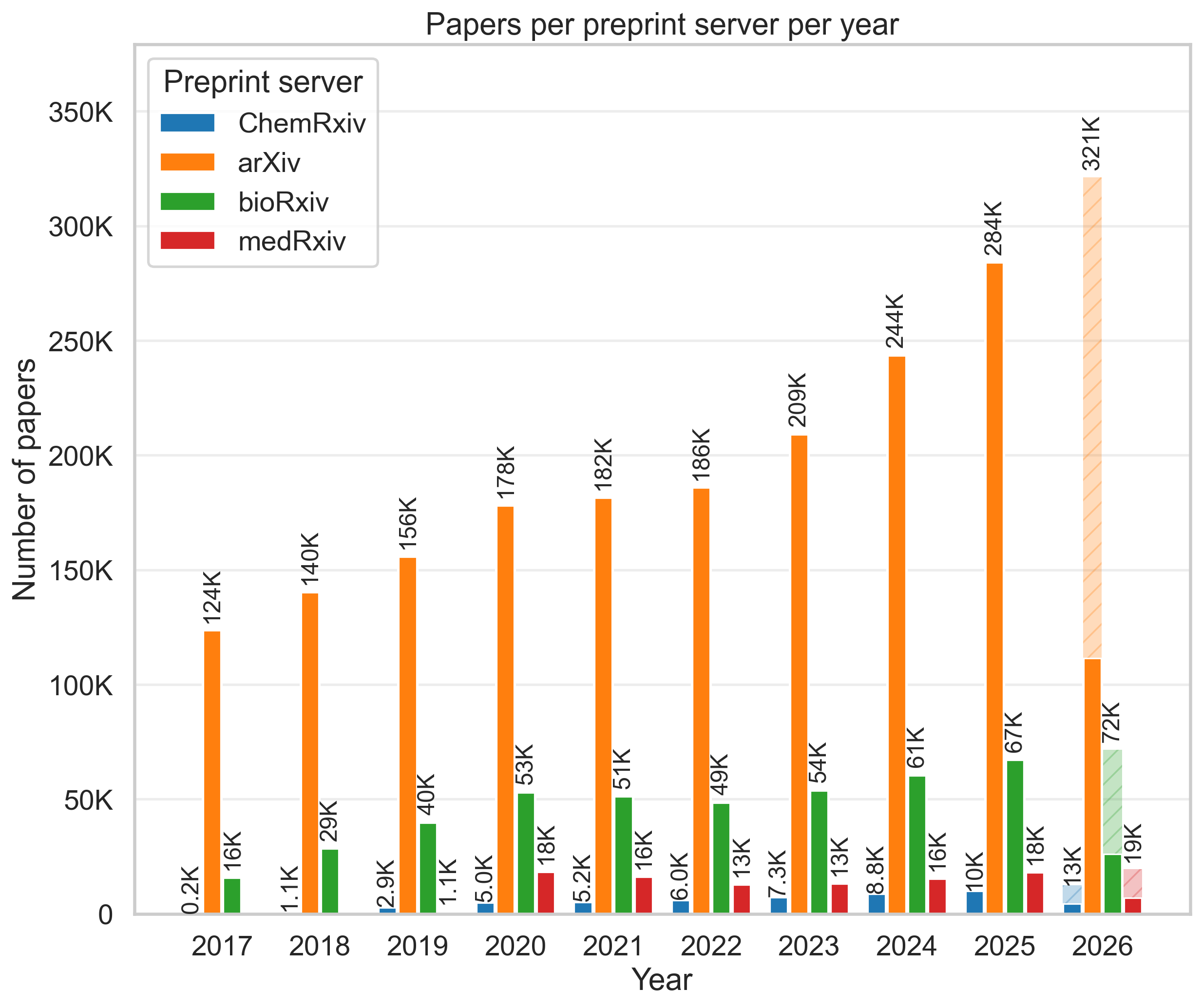
The volume of scientific preprints is increasing, making reproducible
meta-analyses and automated literature monitoring more useful. paperscraper
helps turn searches over publication metadata into local, inspectable JSONL
files that can be reused for downstream analysis.
Installation
or, with uv:
This is enough to query PubMed, arXiv, or Google Scholar.
Local Development
This installs the project and dev tooling into .venv. Use uv run to execute
commands, for example:
Download xRxiv Dumps
To scrape publication data from bioRxiv,
medRxiv, and chemRxiv, first
download local metadata dumps. The entire history of papers is stored in the
server_dumps folder in JSONL format, with one paper per line.
from paperscraper.get_dumps import biorxiv, medrxiv, chemrxiv

chemrxiv()  # Takes <15min -> +50K papers (~30 MB file)
medrxiv()   # Takes <5min -> +100K papers (~200 MB file)
biorxiv()   # Takes <1h -> +450K papers (~800 MB file)
After downloading dumps, restart the Python interpreter so that
paperscraper.load_dumps can discover the new files.
If you experience API connection issues, retries and request behavior can be tuned:
biorxiv(
    max_retries=12,
    request_timeout=(5.0, 45.0),
    retry_backoff_seconds=1.0,
    max_workers=8,
    window_days=30,
)
You can also scrape xRxiv sources for specific dates:
The resulting .jsonl file is labelled according to the current date, and later
local searches will use that file. Use
paperscraper.utils.get_server_dumps_dir() to inspect the active dump
directory.
arXiv Local Dump
Local search can be faster than using the
arXiv API, especially for many
queries. paperscraper provides two arXiv dump backends: Kaggle
and the arxiv package. The default is
kaggle because it is much faster. Before using it, authenticate with your
Kaggle account:
The kaggle backend bulk-downloads all of arXiv. For small API-backed dumps,
use the api backend:
from paperscraper.get_dumps import arxiv

arxiv(start_date="2024-01-01", end_date="2024-01-04", backend="api")
Afterwards you can search the local arXiv dump like the other xRxiv dumps: